




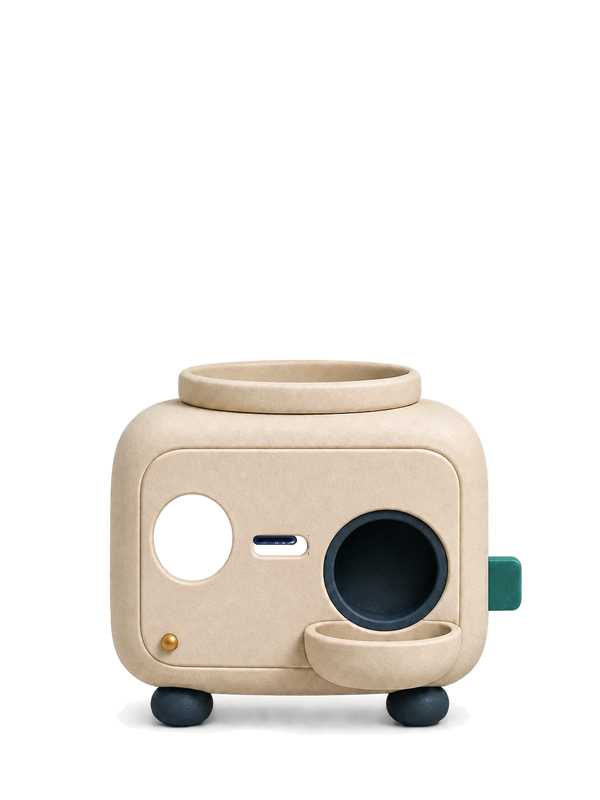






Available now
Token Egg · a desktop helper hatching in the open
A useful desktop helper for people who do not open AI tools.
LessTokens Desktop Companion. Feed it a document.It hands back the point.
A local Windows helper for summaries, file holding, text repair, focus and read-aloud — without switching browser tabs. No public app yet.
10-function roadmap · 5 first-wave functions complete in source
- Summarize
- Carry files
- Repair text
- Focus timer
- Read aloud
- Lives on your desktop, off the browser
- Feeding it documents is how it grows
- All processing stays on your machine
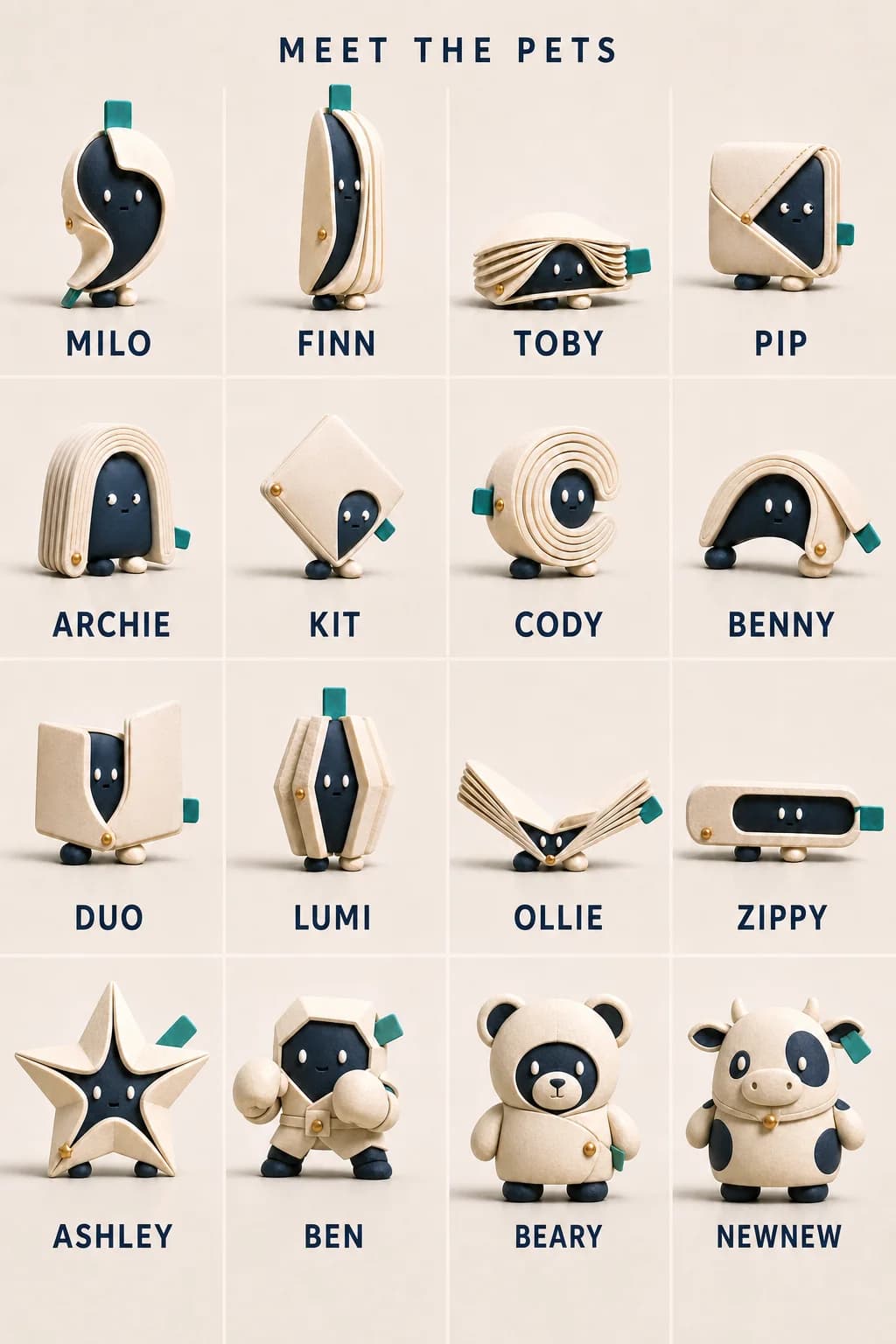
Web is live. Desktop is source-built and not yet downloadable.
What is available right now?
Available now: the sealed-egg draw and the web converter. The Token Egg app has its first five functions — feed-a-document summaries, a file-carrying hold, paste-to-clean text repair, a focus timer, and read-aloud — finished in source and is being prepared for the Microsoft Store; no installer, egg transfer or hatching is publicly available yet.
- Available on WebDraw a sealed egg
- Source-builtBring it to Desktop
- Not open yetHatch on your computer
The product advantage
Less switching. Less setup. One visible place to hand over document work.
The character is the relationship layer; the convenience is the utility. The planned Desktop Companion keeps common document actions at the lower-right of the screen instead of making people open another website, install a different extension for each browser or configure an AI API.
- 01
Bring the work to one place
Read the detail
Five of the six first-wave functions are finished in the app: verbatim key sentences, a holding shelf for files, paste-to-clean repair, a quiet focus timer, and read-aloud in your system's own voices. More input types follow as the converter engine moves into the desktop app.
- 02
Stay in the app you were using
Read the detail
The goal stays the same: skip the open-browser, upload, wait, copy, switch-back loop. The companion works beside you, shows its state honestly, and never interrupts uninvited — it waits for you to come to it.
- 03
Review before anything leaves your control
Read the detail
Every result is handed back for your review, with its limits stated. Feeding is recorded as simple counts on your machine; growth rules, thresholds and hatch timing remain undecided and are not simulated.
Draw a sealed egg
One egg now. The companion stays hidden until Desktop hatches it.
Turn the machine once. Web confirms only that the sealed egg belongs to your account; it never receives the name, appearance or identity inside.
First egg — on the house
Turn the handle once.
One turn delivers one sealed egg. Web never learns or reveals what is inside.
The globe is loaded. The crank is waiting.
Checking your account…
Your egg stays sealed until Desktop hatches it. Web never receives or reveals what is inside.
Body language before notifications
You should understand how it feels before you read a word.
A raised chin can mean “I noticed.” A grounded stance can mean “I am on it.” A softened shape can mean “we are done.” Each motion should communicate, then leave the room quiet again.
- 1
Look up
Read the detail
The eyes arrive first, followed by a small shift in posture: your file did not disappear into a blank system.
- 2
Lean in
Read the detail
The body settles into its working pose while progress remains calm, legible and honest.
- 3
Offer back
Read the detail
A lifted document, brighter eyes or a steadier stance marks that a result is ready for review.
- 4
Exhale
Read the detail
When nothing needs doing, it stretches, watches the room or sleeps. No guilt, streaks or invented urgency.
The useful part of the relationship
It does not choose your AI. It helps you arrive prepared.
The companion is being designed as the calm doorway between a difficult document and the tool you already choose—not a character-shaped lock-in, browser extension or user-configured API integration.
- Your documentA supported PDF, Word, Excel, slide, text or image file
- LessTokens companionQuiet acknowledgement and the LessTokens preparation flow
- Reviewable MarkdownThe result plus visible warnings and anything that needs checking
- Your chosen destinationYou perform the final paste, copy, save or upload action
Nothing on this page promises automatic AI sending or universal compatibility. ChatGPT, Claude, Gemini, NotebookLM and Codex are examples only; LessTokens is independent, not affiliated with or endorsed by their owners, and the manual hand-off depends on what each destination currently accepts.
One pet, ten committed functions
The long-term edge is a pet that actually helps.
Ten functions across three waves are committed, in canon, and arrive in order. Wave one needs no AI model at all, so nothing is uploaded and nothing hallucinates.
- 01
Wave 1 · five of six functions finished in source
It feeds, carries, smooths, keeps time — and reads to you
Read the detail
Drop a .txt or .md on the egg for the key sentences exactly as written. Drop other files and it holds them while you change folders. Paste mangled PDF text and it comes back smoothed with a tally of what changed. Book a 5-50 minute focus session and it keeps quiet company until the chime. And on every result card, press Read aloud: the egg clears its throat, lifts the page, and reads with the Windows voices already installed — Chinese text in a Taiwan voice, offline. Clipboard memory closes out the wave next.
All five functions are finished in the app's source and awaiting the Microsoft Store release; nothing here is publicly downloadable yet. Limits are stated, not hidden: refusals are explicit, cleanup never rewrites a word, the timer chimes only because you booked it, and if no matching voice is installed the egg says so instead of reading Chinese with an English voice.
- 02
Desktop source · F-12 and F-13 complete
Pin a reference or keep a small session shelf
Read the detail
Pin a PNG, JPEG or WebP you explicitly choose, paste or drop, or keep up to 12 file and folder references on a session-only shelf. Reorder the shelf and hand a reference to Windows native drag without the shelf reading, copying, moving, deleting or opening the file.
Pinned images and shelf references stay local and disappear with the session. There is no background screen capture or OCR. LessTokens can confirm handoff to the operating-system drag gesture, not whether another app accepted the drop. This source capability is not publicly downloadable yet.
- 03
Desktop source · F-11 and F-15 complete
Stay out of supported captures and retreat under pressure
Read the detail
Switch on screen-capture hiding and the pet asks Windows to leave it out of supported capture paths. On battery, heat or a locked screen it moves less and checks less often; timers still run and ring on time.
Capture exclusion cannot hide the pet from a phone camera, capture card or software using another path, and the pet never detects whether you are sharing. Power retreat never turns features off, and nothing starts playing by itself when the machine wakes. Windows has runtime evidence; other platforms remain unverified.
- 04
Wave 2 · ports the engine LessTokens already runs
The converter and offline OCR move into the desktop
Read the detail
The same self-hosted extraction, OCR and conversion-warning engine behind this website — already tuned for Traditional Chinese — gets packaged into the app, so screenshots and full documents convert on your machine, offline.
Not started until wave one ships. The web converter remains the working path today.
- 05
Wave 3 · gated on licensing review, in that order
Translation and plain-language explanations, locally
Read the detail
Local translation and contract-to-plain-words explanations are committed as the third wave, running on your machine like everything else.
No engine or model is approved yet; privacy, commercial licensing, cost and quality reviews come first, and no capability is ever locked behind the gacha — draws carry characters and looks, not functions.
Affection without obligation
The kindest companion is one you can quiet, move or close without guilt.
The planned right-click system keeps the relationship under your control. Less motion, immediate sleep or a complete exit should feel ordinary—not like disappointing a character designed to manipulate you.
Planned control direction · not a shipped menu
An honest invitation
Meet the idea today. Use the trusted converter now. Test the companion when it is truly ready.
In development
The Windows desktop companion
The interaction foundation is being built, but final character assets, native behavior, controls, installer and distribution still require acceptance. No release date is promised.Available now
Web converter
Choose a supported file, receive reviewable Markdown and inspect the warnings before using the result elsewhere.The selected file uses LessTokens' temporary Web processing path and follows the published deletion limits.Source-built · not downloadable
Windows companion
Local first-wave functions and Windows runtime evidence exist in source, but there is no public installer, Store release or public hatch.The source-built first-wave functions run on the machine. Full offline conversion is a later, unshipped wave.You stay in control of the hand-off. Web does not silently send results to Desktop or to an AI service.
No public installer
- Local source functions
- Explicit file actions
- Quiet or exit remains visible
D-180 remains closed: Web may deliver only a generic sealed egg. No character identity, silhouette, colour clue or post-hatch pet is revealed before a verified Desktop hatch. This diagram explains the boundary; it is not a runtime screenshot.
Straight answers
Before you make room on the desktop
Can I download the companion now?
No. This is a pre-release product page and there is no public Windows installer yet. The notification form records interest only.
Is this a plug-in for one AI tool?
That is not the intended design. LessTokens prepares reviewable Markdown; you choose the destination and perform the manual hand-off when that destination accepts the result.
Will I need a browser extension for every AI tool?
That is not the product direction. The planned standalone Windows companion should stay available across apps rather than depend on one browser or AI extension. That native workflow is not shipped yet.
Can the companion translate a document or screenshot today?
No. Translation for documents, pasted text, screenshots and image documents is a planned capability. No engine has been selected, and privacy, licensing, cost, quota and quality gates remain open.
Will I have to configure an AI API key?
The product goal is no user API setup for ordinary Companion tasks. Provider, cost and privacy architecture are not decided, so this is a direction rather than a shipped promise.
Does the companion mean files stay offline?
No offline or local-only claim is being made. The current LessTokens conversion service processes uploads server-side and applies the published retention policy. Desktop privacy claims will be rechecked against the accepted runtime.
Can Web show what is inside my egg?
No. Web may show only the sealed egg. A name, portrait, hidden identifier or tier would reveal the result early; hatching belongs to a future Desktop build.
Leave a little room on the desk
When the companion is ready to meet you—not merely ready to be shown—we will open the door.
The first goal is a useful desktop document assistant, with translation and other utilities added only after their engineering and rights gates pass. Leave an email if you want to hear when an honest Windows test becomes available. No release date is promised.
Interest notification only · no installer · no translation · no purchase · no automatic AI connection
Hear when LessTokens Desktop is genuinely available
Leave your email for one purpose: a notification when Desktop testing or a real download is available. We are not promising a date, and this does not subscribe you to general product updates.